# DxMint

[Dxmint](https://dx.app/dxmint?ref=raphaeldx\&chain=BNB) is a token minter / token maker. Users can easily create their own token within seconds for whatever they want to use it for. Suppose you want to make a token with your name, you can make it under few seconds.

#### Accessing DxMint <a href="#accessing-dxmint" id="accessing-dxmint"></a>

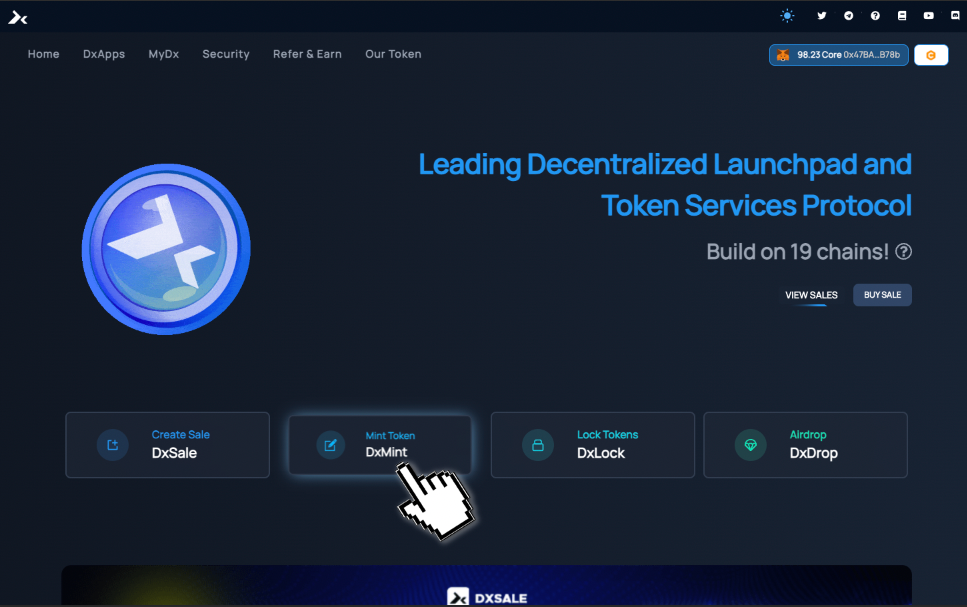
There are few ways to access [DxMint](https://dx.app/dxmint?ref=raphaeldx\&chain=BNB). First way is to do it from the [https://dx.app/](https://dx.app/?ref=raphaeldx\&chain=BNB) or [https://dxsale.app/](https://dxsale.app/?ref=raphaeldx\&chain=BNB) home page by clicking Mint Token DxMint box as shown below.

<figure><img src="https://3286775751-files.gitbook.io/~/files/v0/b/gitbook-x-prod.appspot.com/o/spaces%2F-MTT8AZhxr8LCTIIdY3-%2Fuploads%2FdgQWP6DawJqJ4H1UDjvr%2Fimage.png?alt=media&#x26;token=46dad884-7e4d-4ced-adb3-7c33d227ec3c" alt=""><figcaption></figcaption></figure>

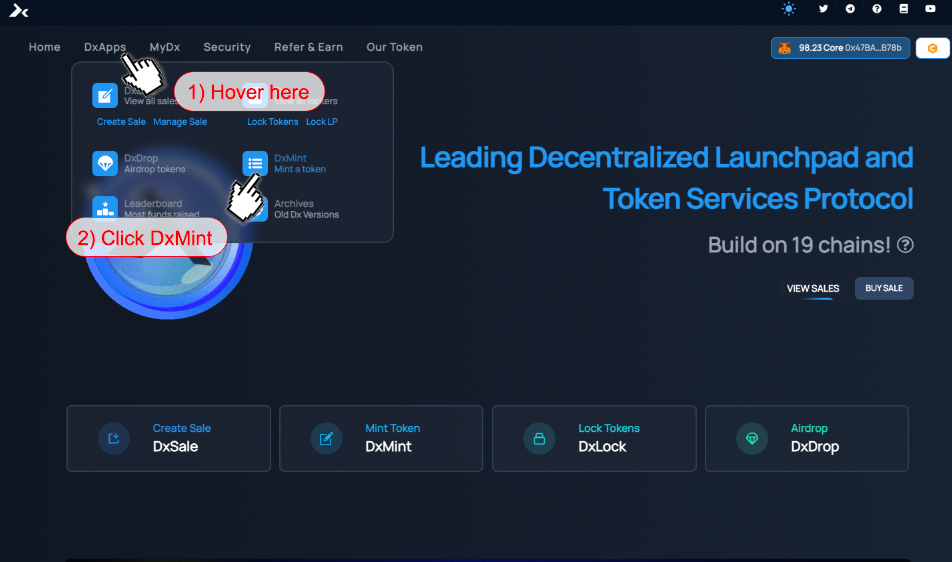
The second way to access it from any screen is to click DxApps on the top bar of the website and click [DxMint](https://dx.app/dxmint?ref=raphaeldx\&chain=BNB) as shown below.

<figure><img src="https://3286775751-files.gitbook.io/~/files/v0/b/gitbook-x-prod.appspot.com/o/spaces%2F-MTT8AZhxr8LCTIIdY3-%2Fuploads%2FpLemNALpZqQK963OuPb6%2Fimage.png?alt=media&#x26;token=98652cc4-3eaa-470e-8375-78f7326a74a6" alt=""><figcaption></figcaption></figure>

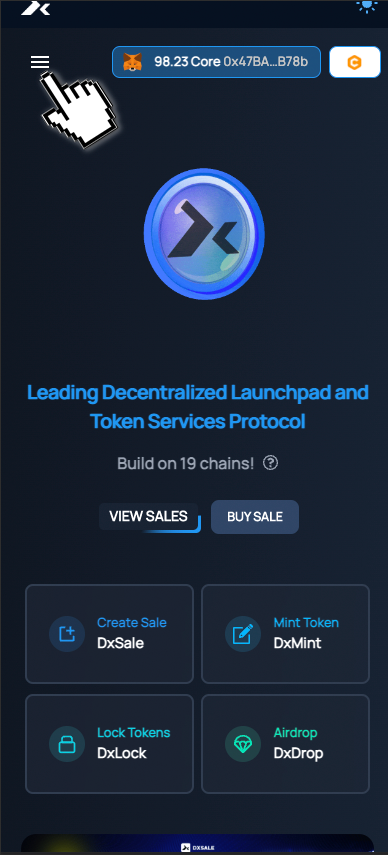
Similarly on mobile phones, you can access [DxMint](https://dx.app/dxmint?ref=raphaeldx\&chain=BNB) button of top bar by clicking the hamburger menu ☰

<br>

<figure><img src="https://3286775751-files.gitbook.io/~/files/v0/b/gitbook-x-prod.appspot.com/o/spaces%2F-MTT8AZhxr8LCTIIdY3-%2Fuploads%2FNejr3cbgY7J4GDuIilnZ%2Fimage.png?alt=media&#x26;token=ec93ad0b-fced-431f-a40a-fed6f051a7dc" alt=""><figcaption></figcaption></figure>

#### Using DxMint <a href="#using-dxmint" id="using-dxmint"></a>

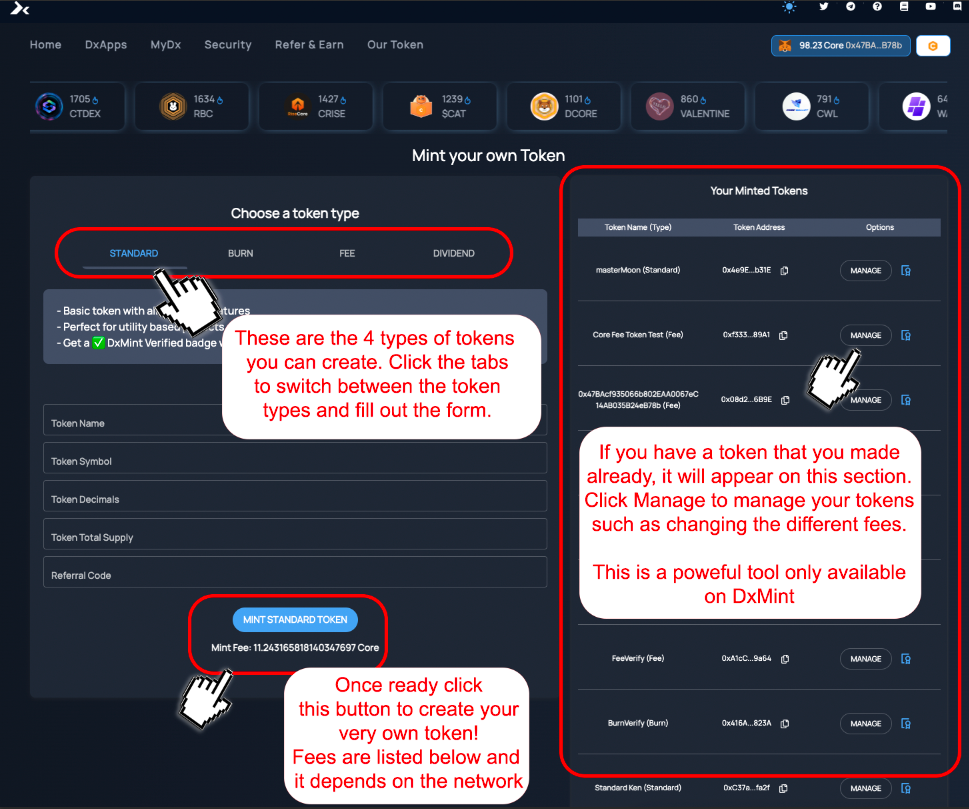
[DxMint](https://dx.app/dxmint?ref=raphaeldx\&chain=BNB) can make various types of tokens without any coding required by the user! First you will need to know how to navigate the page easily.
<br>

<figure><img src="https://3286775751-files.gitbook.io/~/files/v0/b/gitbook-x-prod.appspot.com/o/spaces%2F-MTT8AZhxr8LCTIIdY3-%2Fuploads%2F8pjAZEFKzjRGhuM3fvNy%2Fimage.png?alt=media&#x26;token=5ef063c6-e9a2-40eb-9ce8-e6a68f246e2d" alt=""><figcaption></figcaption></figure>


---

# Agent Instructions: Querying This Documentation

If you need additional information that is not directly available in this page, you can query the documentation dynamically by asking a question.

Perform an HTTP GET request on the current page URL with the `ask` query parameter:

```
GET https://docs.dxsale.network/how-to-use-dxsale/dxmint.md?ask=<question>
```

The question should be specific, self-contained, and written in natural language.
The response will contain a direct answer to the question and relevant excerpts and sources from the documentation.

Use this mechanism when the answer is not explicitly present in the current page, you need clarification or additional context, or you want to retrieve related documentation sections.